Pipeline and interface
Built the upload wizard, progress states, clip review controls, format selection, subtitle settings, and export flow.
A video pipeline that finds promising moments, reframes them for social formats, and renders animated subtitles.
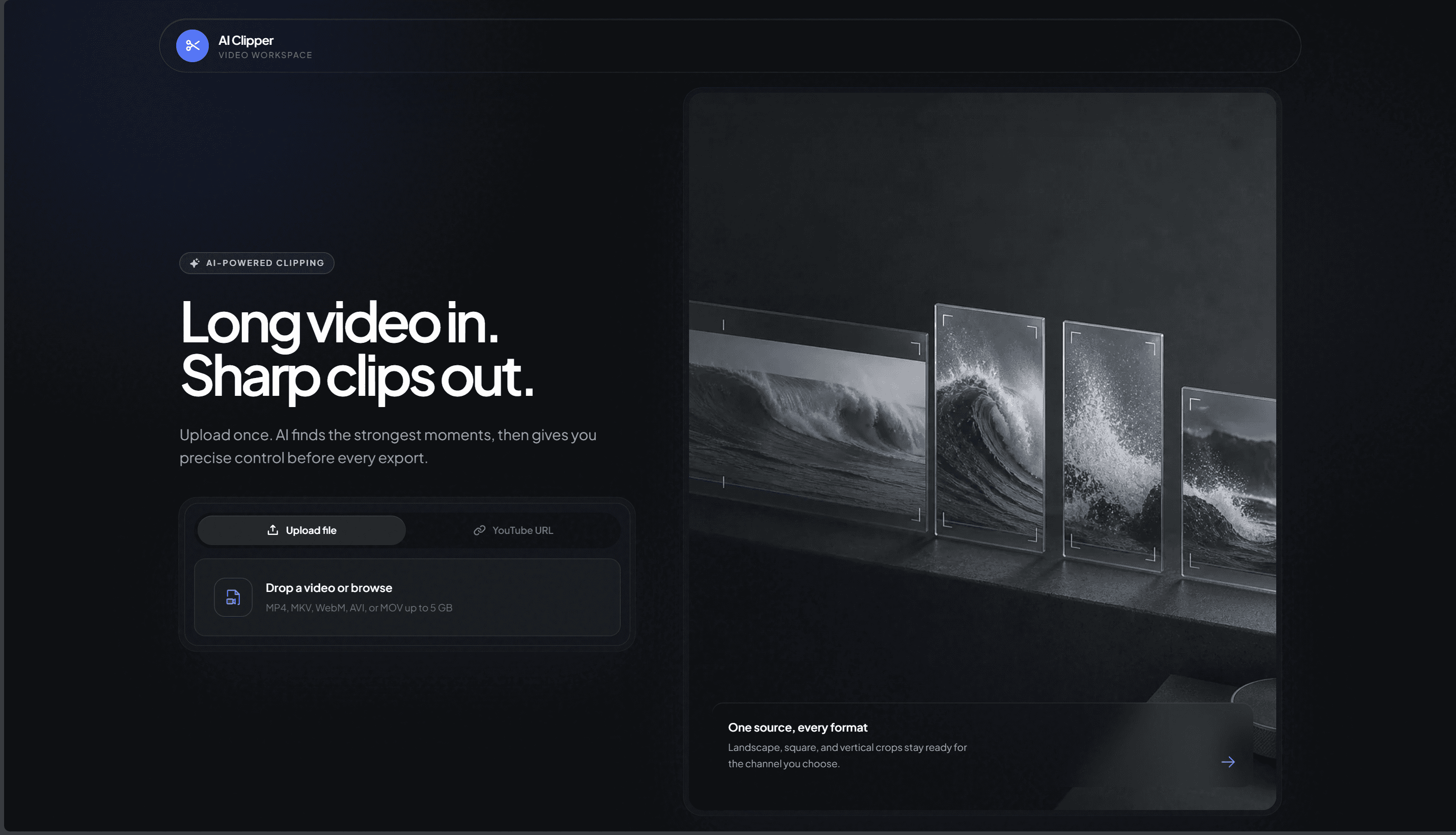
AI Clipper landing page with file upload and YouTube URL input
Screenshot 1 of 3
Long videos into editable clips
AI Clipper turns a long video into a set of short clip candidates. Users can upload a file or provide a YouTube URL, review the suggested moments, adjust their boundaries, choose an output format, configure subtitles, and render the selected clips.
The application runs the processing pipeline through FastAPI background tasks. faster-whisper produces a word level transcript, an LLM proposes candidate moments, OpenCV determines the portrait crop, and FFmpeg renders the final MP4 with ASS subtitles. Server-Sent Events report progress to the React interface while the job is running.
I designed and built the application as the sole developer, covering the React workflow, backend orchestration, model provider layer, subtitle engine, crop logic, YouTube ingestion, and Docker deployment setup.
Creating a short clip from a long video requires more than cutting two timestamps. Someone still has to find the useful passage, transcribe it, adapt the frame for a vertical screen, place readable subtitles, and encode the result.
That work is slow to repeat and difficult to automate with a conventional video editor. I wanted one application that could suggest moments while keeping timing, format, and subtitle choices under the user's control.
The system needs a timestamped transcript before it can recommend moments from the source video.
A portrait crop must follow the speaker instead of removing them from a landscape frame.
The selected segment still needs audio, subtitles, sizing, and encoding before it is ready to review.
I built the React workflow and the FastAPI pipeline that coordinates ingestion, transcription, analysis, review, rendering, and export. Background tasks keep long processing work outside the request cycle, while SSE sends each job update to the browser.
I also implemented the shared prompt and validation layer for Bedrock and Gemini, the OpenCV crop calculations, the ASS subtitle generator, and the FFmpeg render commands. The deployment setup packages the frontend, backend, Deno, FFmpeg, OpenCV libraries, fonts, Nginx, and upload configuration in Docker images.
Built the upload wizard, progress states, clip review controls, format selection, subtitle settings, and export flow.
Added retries, JSON recovery, timestamp limits, overlap checks, and minimum result rules around LLM recommendations.
Implemented face guided portrait crops, blurred canvas output, karaoke subtitles, and FFmpeg encoding.
A job begins with either a streamed file upload or a YouTube download. The backend stores the source in an ephemeral workspace, transcribes it with faster-whisper, and sends the transcript to the selected LLM provider. A validation step normalizes the returned clip boundaries before the interface presents them for review.
Rendering combines the chosen time range, output format, crop strategy, and subtitle settings. OpenCV samples face positions for portrait output, the subtitle engine writes an ASS script, and FFmpeg produces the final MP4. Job files remain in local storage until the two hour cleanup removes them.
File or YouTube URL
Accepts an uploaded video or retrieves the source with yt-dlp
Stream to disk
Writes uploads in 1 MB chunks instead of keeping the file in memory
Create the job
Tracks temporary files and processing state in an ephemeral workspace
faster-whisper
Creates a word level transcript after voice activity filtering
Bedrock or Gemini
Analyzes the transcript and proposes clip boundaries
Validation
Clamps timestamps, removes overlaps, and repairs malformed responses
Review controls
Lets the user adjust timing, format, and subtitle settings
OpenCV crop
Interpolates sampled face positions for portrait framing
ASS subtitles
Builds phrase groups and word level karaoke highlights
FFmpeg
Cuts, scales, reframes, burns subtitles, and encodes the clip
SSE progress
Pushes job state changes to the React interface
MP4 output
Makes the completed clip available from local job storage
The browser only needs server updates while processing, so SSE keeps the transport smaller than a bidirectional socket layer.
An in memory store and two hour file lifetime fit temporary processing jobs without introducing a database.
The supplied demo is a 68 second, 1080 x 1920 MP4 produced by AI Clipper. It provides a concrete output for reviewing the portrait framing, audio, pacing, and burned subtitles together.
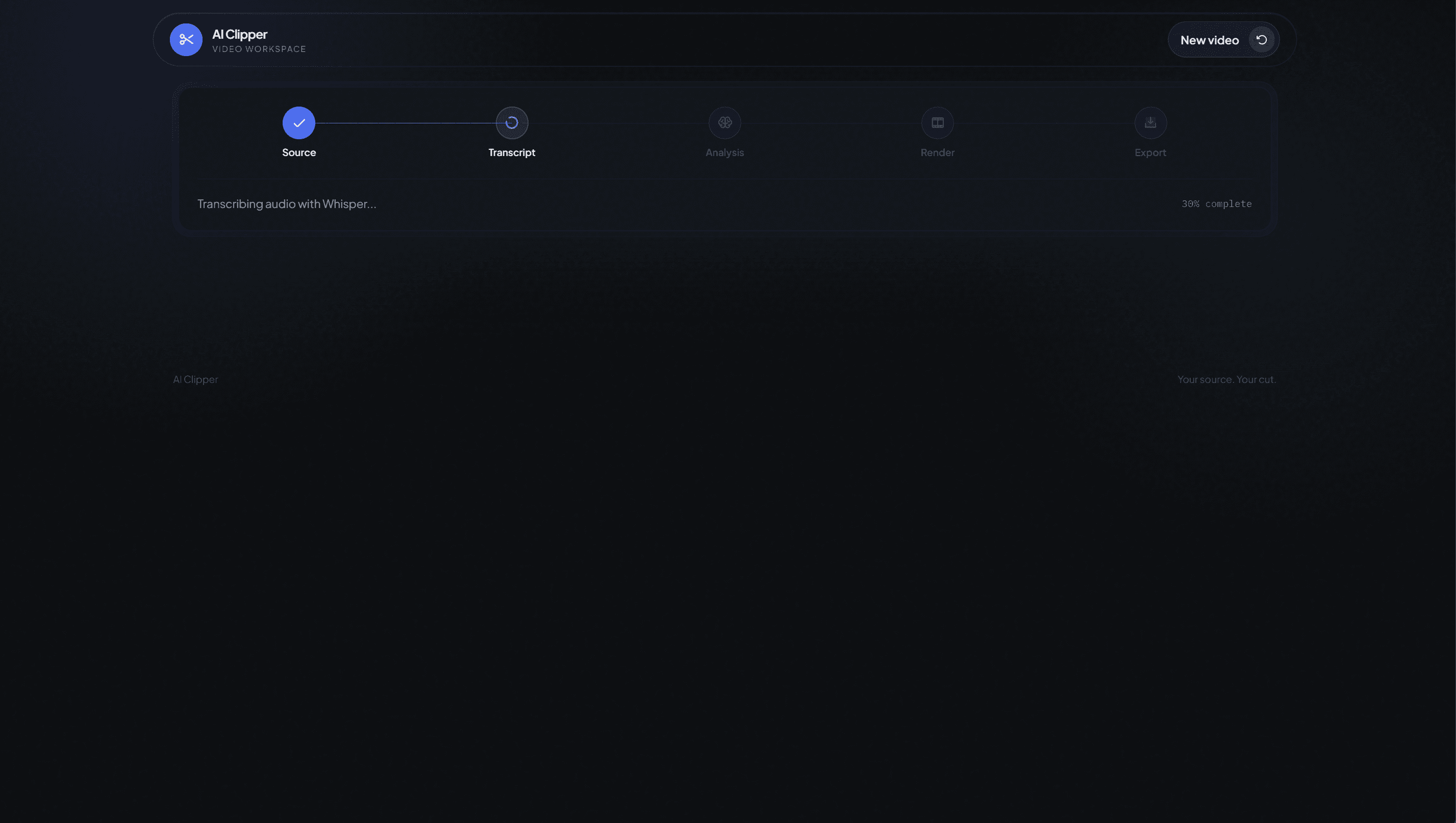
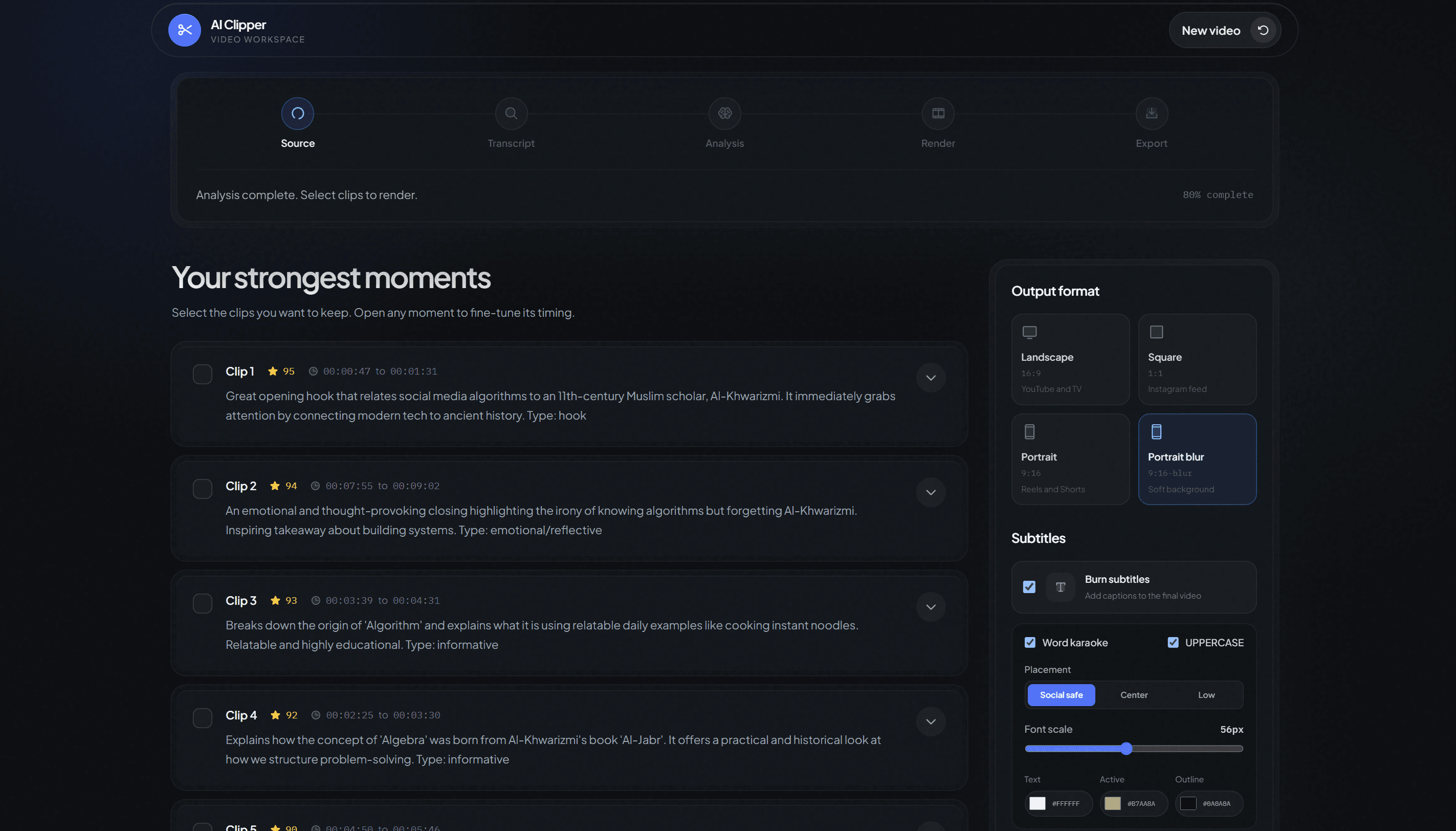
The screenshots show the same workflow at source selection, transcription, and clip recommendation. This is qualitative implementation evidence. I have not yet measured recommendation accuracy, render latency, crop accuracy, output quality across different source videos, or user task success.
The embedded file is the rendered MP4 rather than a mockup or a link to another platform.
The interface exposes the suggested boundaries, output format, and subtitle controls before export.
The available evidence demonstrates the workflow and one output, not repeatable performance across a test set.
AI Clipper portrait output
A completed portrait clip with its original audio and burned karaoke subtitles.
Haar Cascade sampling found the speaker at one second intervals. Linear interpolation between those samples removed abrupt crop jumps without adding a neural detector or a heavier tracking system.
Provider responses could contain invalid JSON, timestamps outside the source duration, or overlapping clips. The pipeline treats every recommendation as untrusted data and validates it before review or rendering.
Processing updates travel from the backend to the browser. A small publish and subscribe layer gave the interface immediate progress without polling or bidirectional connection management.
Next project
A chatbot designed to find published clarifications and track verification requests through one conversation.